


Flows vs Agents
Before you can build your first agent, you need to understand what makes agents different from flows—and when to use each one. Both are powerful automation tools in Gumloop, but they work in fundamentally different ways.
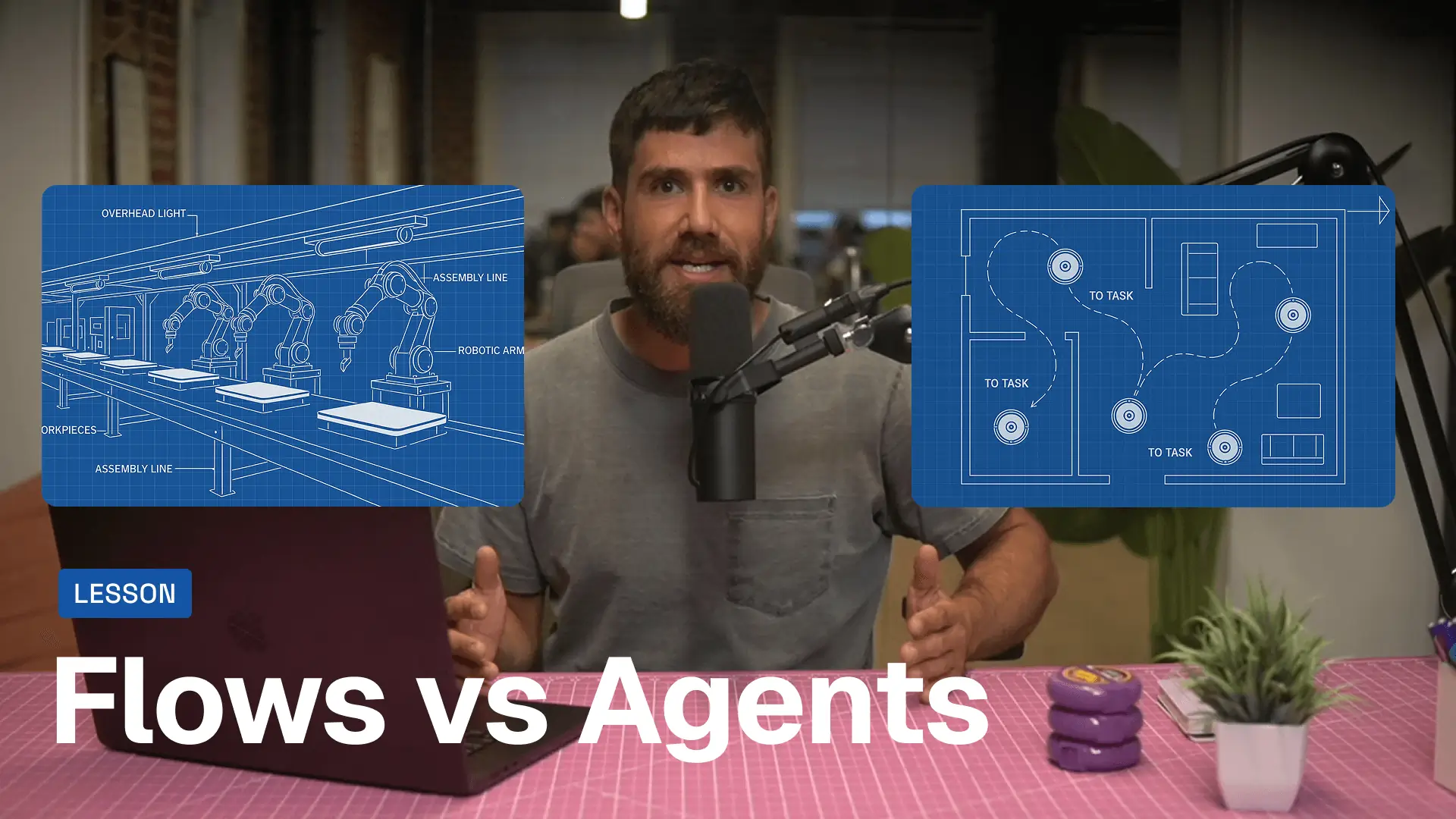
FLOWS: YOUR AUTOMATION ASSEMBLY LINE
Think of flows as assembly lines. You define every step, and the flow executes them in order—no surprises, no deviations.
Example flow:
- When a new lead enters Salesforce
- Enrich their contact info
- Score them based on criteria
- Send a Slack notification
- Add them to a nurture sequence
Flows excel when you need deterministic automation—meaning you want the exact same outcome every time. Yes, you can use AI within flows (like categorizing support tickets or generating summaries), but the AI isn't deciding what happens next. The flow is.
Flows are perfect when you have:
- ✅ Clear inputs, steps, and outputs
- ✅ Workflows that run frequently
- ✅ Processes core to your business
Common flow use cases:
- Enrichment pipelines
- Automated reporting
- Data syncing between tools
- Lead routing and scoring
Want to learn how to build flows? Check out Gumloop Flows 101 to get started with flow automation.
Agents: Your Adaptive AI Sidekick
Agents work differently. Instead of following a fixed path, you give them a goal and a set of tools—and they figure out how to accomplish that goal.
Think of an agent like a Roomba. You don't tell it exactly which path to take to clean your floor. You just let it loose, and it figures it out—bumping into things, adjusting its route, but persistent until the job is done.
How agents work:
1. Tools: You give your agent access to specific integrations (Google Calendar, Salesforce, Zendesk, etc.) and Gumloop flows it can execute.
2. Instructions: The agent's behavior is defined by its system prompt—the instructions that guide how it should respond, when to wait for approval, and what its objective is.
3. Decision-making: The agent decides which tools to use, in what order, and how to respond based on the context of each interaction.
Agents are perfect when:
- ✅ You want to stay involved in the process
- ✅ You're okay with different outcomes for the same inputs
- ✅ Workflows are ad hoc rather than triggered automatically
Common agent use cases:
- Evaluating specific support tickets
- Researching and drafting marketing campaigns
- Answering team questions using internal docs
- Running one-off analysis or reports
What's MCP?
MCP (Model Context Protocol) is the technology that lets agents understand what tools are available and how to use them. When you give an agent access to an integration, MCP provides instructions on what's possible—so the agent knows it can, say, read your calendar or update a Salesforce record.
How to Choose: Flow or Agent?
Here's a simple decision framework:
Use a Flow when:
- The workflow has clear, repeatable steps
- You need it to run the same way every time
- It's triggered automatically (new form submission, scheduled time, etc.)
- It's a core business process that runs frequently
Use an Agent when:
- You want conversational interaction ("Hey, can you check on this ticket?")
- The outcome might vary based on context
- You're handling one-off or ad hoc requests
- You want to stay in the loop and approve actions
Can agents trigger flows?
Yes! One of the most powerful features of Gumloop agents is that they can execute flows. Think of flows as specialized tools your agent can use when it needs to perform a complex, multi-step operation.
Real-World Example: Support Team
Flow approach:
When a new support ticket arrives → Categorize with AI → Route to the right team → Send confirmation email
This runs automatically for every ticket, the same way, every time.
Agent approach:
A team member messages the agent in Slack: "Can you look into ticket #4827 and see if we can offer them a refund?"
The agent reads the ticket, checks the customer's history in your CRM, reviews your refund policy, and responds with a recommendation—adapting based on what it finds.
Both are valuable. Flows handle the repetitive backbone work. Agents handle the nuanced, conversational requests.
Now that you understand the difference, let's build your first agent. In the next lesson, we'll create a Gummie (that's what we call agents in Gumloop) and give it the tools and instructions it needs to be useful. 🚀
